The dashboard: your business at a glance
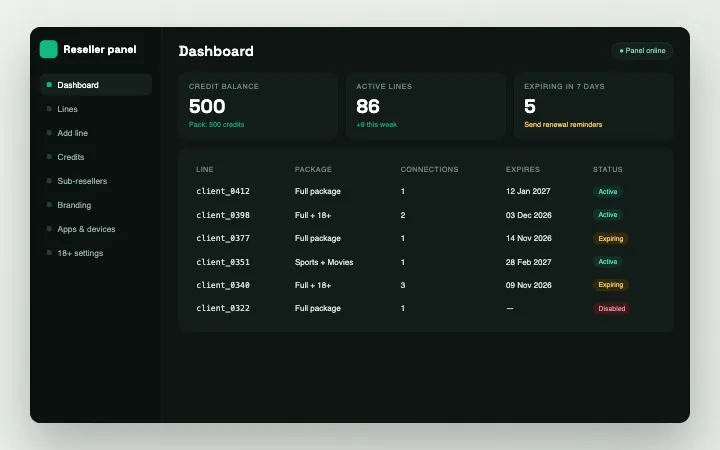
The first screen you see shows your credit balance, how many lines are active and how many expire in the next seven days. Below that sits the list of recent lines with their package, connections, expiry date and status.
Experienced resellers start every day here. The expiring in 7 days number is your renewal to-do list: message those customers before they lapse.
Adding a customer line
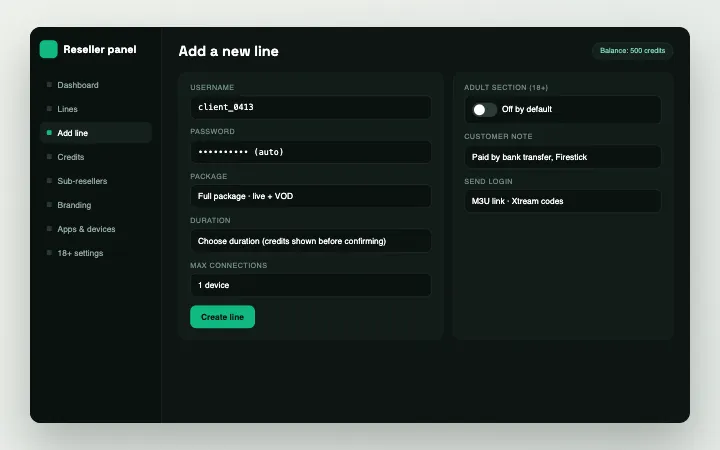
The add line form asks for a few things: username (or let the panel generate one), package, duration and the number of devices the customer can use at once. The credit cost appears before you confirm, so there are no surprises.
- Package: the channel and on-demand bundle the customer gets.
- Connections: how many screens can watch at the same time.
- 18+: off by default, switched on only when you choose.
- Note: a private field for you, such as how the customer paid.
Once created, the panel gives you the login as Xtream codes and an M3U link, ready to paste into the customer's app.
Credits: balance, packs and history
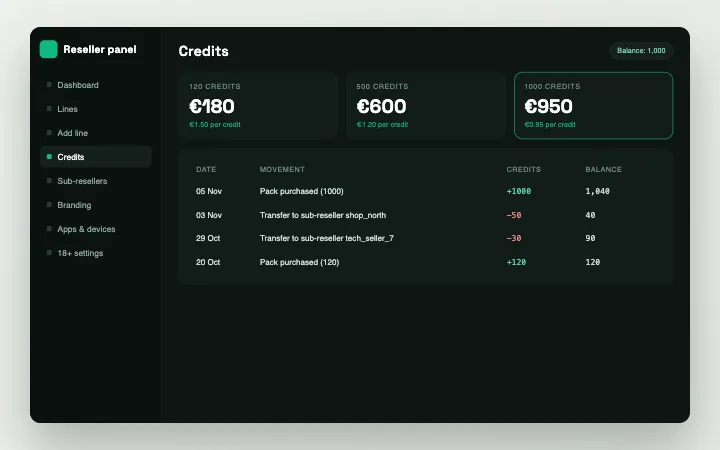
The credits screen lists the three packs with their prices (120 for €180, 500 for €600, 1000 for €950) and every movement on your account: packs bought, lines created or renewed, and transfers to sub-resellers.
When a customer asks why a renewal costs what it does, this history is your answer. More on pricing on the reseller credits page.
Sub-resellers: selling through other people
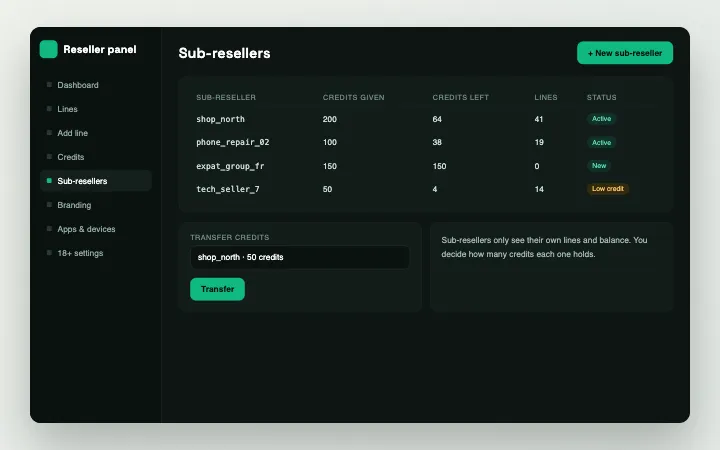
If you work with shops or other sellers, give each one a sub-reseller account. They get their own login and only see their own customers. You decide how many credits they hold, and you can top them up from your balance at any time.
The sub-reseller guide explains how to set prices down the chain so everyone keeps a margin.
Branding: what your customers see
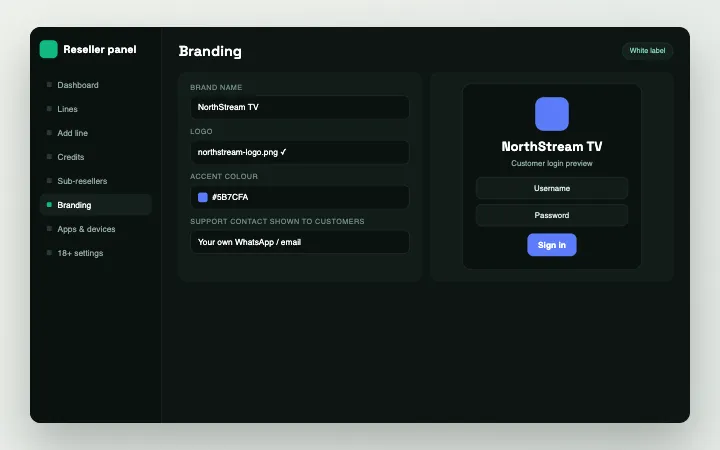
Set your brand name, logo, accent colour and the support contact shown to customers. Your customers deal with you, not with us.
Full white label, with your own domain, is available on request; see white label IPTV.
Apps and devices: which login to send
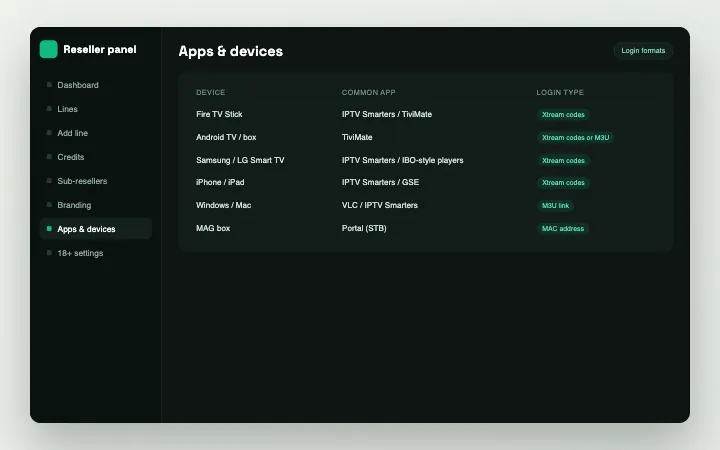
Every line works in the formats most apps expect: Xtream codes, an M3U link, or a MAG portal for set-top boxes. The apps and devices screen is a quick reminder of which format suits which device, so you send the right login the first time.
For a customer-friendly list of apps, see apps for your customers.
18+ settings: adult content under control
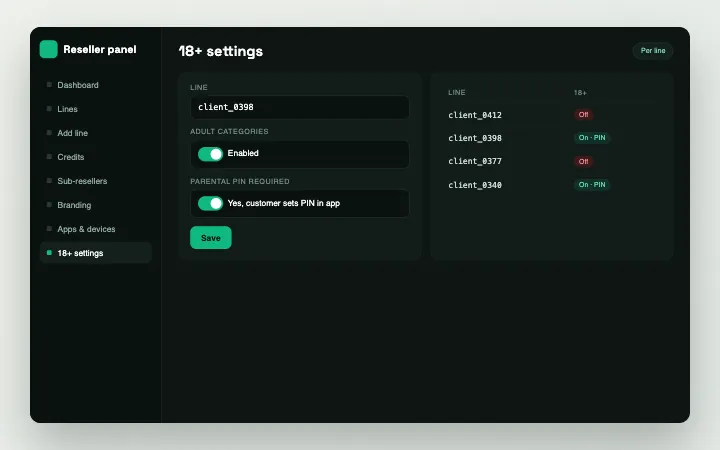
Adult categories are off on every new line. You switch them on per customer, and the customer protects them with a PIN in their app. The overview shows at a glance which lines have the 18+ section enabled.
Details are on the adult IPTV reseller page.
A ten-minute daily routine in the panel
| When | Screen | What to do |
|---|---|---|
| Morning | Dashboard | Check the expiring number and message those customers. |
| After each sale | Add line | Create the line, copy the login, send it with your setup notes. |
| Weekly | Credits | Check your balance against next week's renewals; top up before it runs low. |
| Weekly | Sub-resellers | Look for sub-resellers with low credit and top them up. |
| When asked | 18+ settings | Enable the adult section only for adults who request it. |
Questions about the admin panel
Can I use the admin panel on my phone?
Is there a fee for the admin panel?
Can I disable a customer who stopped paying?
Can a customer change their password?
Who do I contact if the panel shows an error?
Get your own admin panel
Buy a credit pack and your panel login is ready once the payment clears. Ask us anything about the screens first.

We run the reseller panel and the WhatsApp support line described on this site, and we write these pages from the questions resellers send us.